



FEATURED SERVER
TK’s Pokemon UNITE Discord Server
Pokemon Unite Discord server with active LFG, Tournaments, game discussion, events, advertising and more! Join us!



























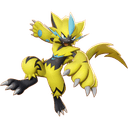

Recommended Tier List


JeffHoogland
How Do I Edit A Tier Name?
You can edit tier names by double clicking on the tier name.
Adding New Tiers
To create a new tier, simply press the + button, at the top right corner. This will create a new tier for the first alphabet letter that is not currently being unused.
Removing Tiers
Edit a tier name to another tier above it. The lower tier will be removed. For example, to remove A tier, simply rename the A tier to S tier since that is above the A tier.